Update your apps
in one click
KeepNeat brings eligible app updates together with Update All. Clean up leftovers and understand what’s running, too.
For Apple silicon Macs.
macOS 14 Sonoma or later.


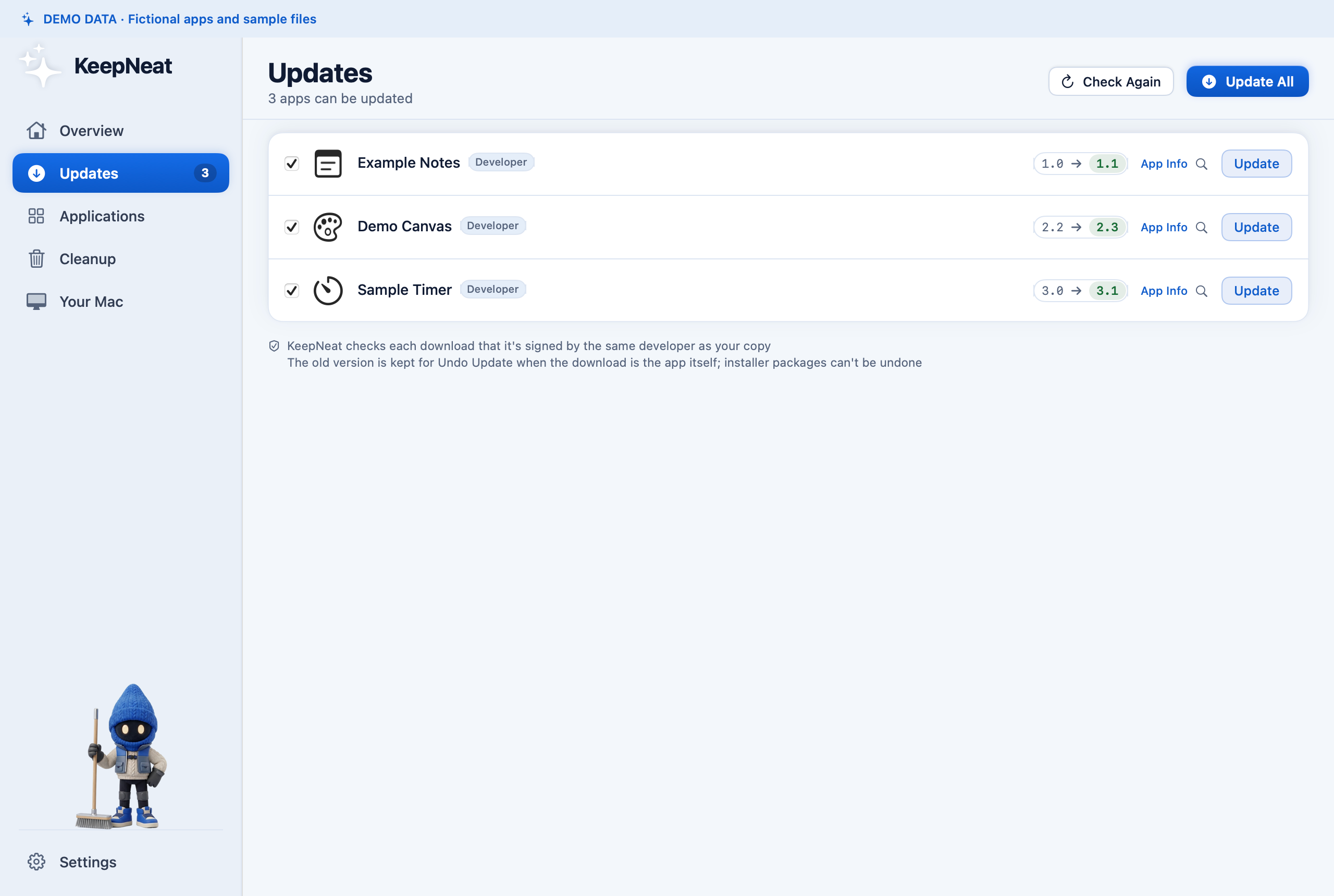
Updates
3 ready- Example Canvas1.2 → 1.3 Ready
- Example Notes2.0 → 2.1 Ready
- Example Timer1.0 → 1.1 Ready
Three fictional apps, one Update All action.
Local simulation only. Nothing is scanned, installed or changed on your Mac.
Preparing for release. Not yet available to download or purchase. Ask the developer a question.
Fewer update chores
Review available updates together. Start eligible updates with Update All.
For direct app updates, KeepNeat normally keeps the previous copy in the Trash and warns when that recovery option is unavailable.
App Store updates and installer packages replace apps themselves and can need extra steps. Certificate checks may stop an update for review. KeepNeat explains the handoff before you start.
See Updates in the app
Scroll the view to explore, or open the full-size image.
Clean up.
Keep a way back.
Remove apps with their leftovers. Find old installers, duplicates and files left behind by apps you’ve already deleted.
Review what’s going, then make the change. Files go to the Trash where supported; permanent actions say so and ask first.
Illustrative demo · Fictional file
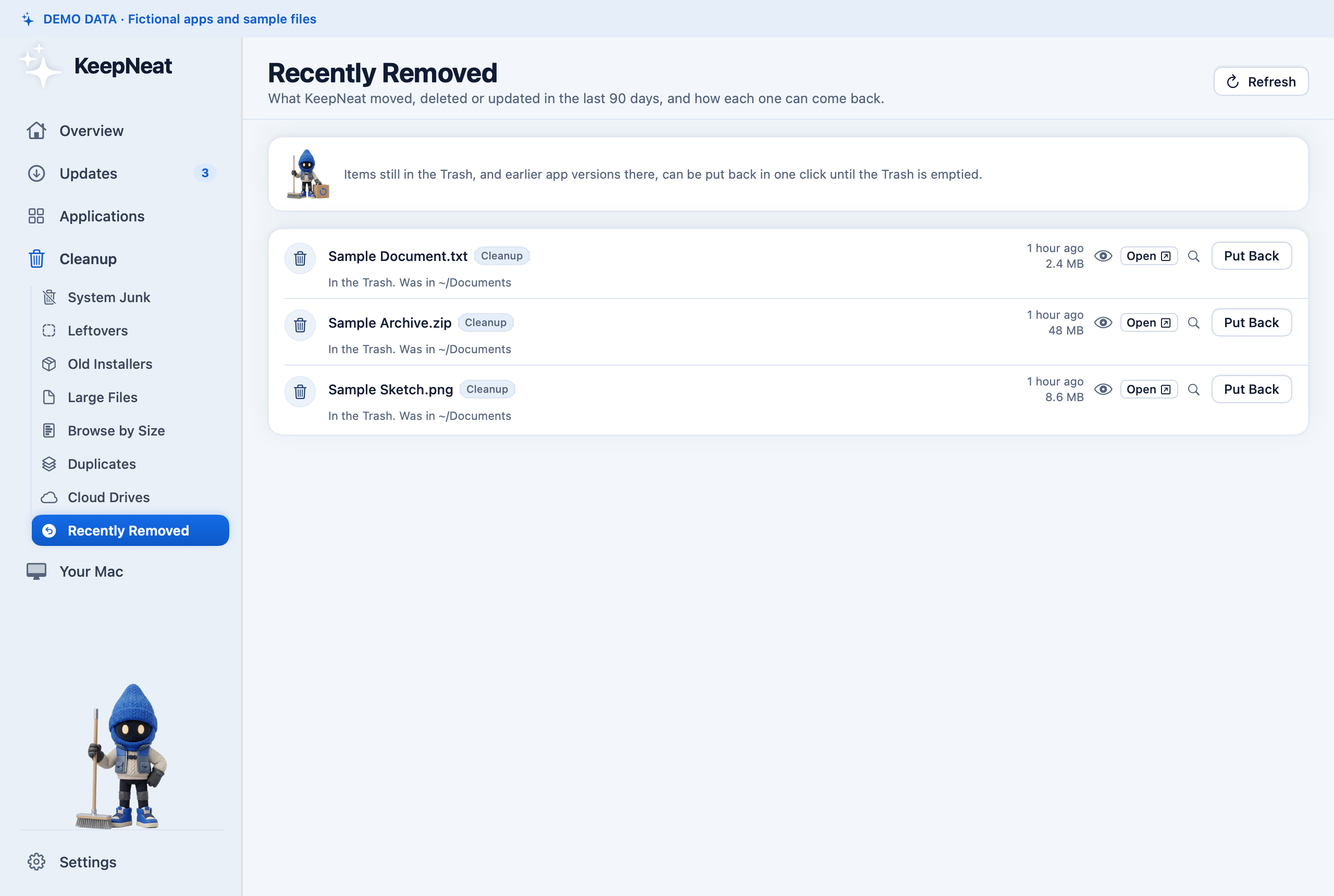
Recently Removed
Cloud files and permanent actions
Moving a synced cloud file to the Trash warns that your cloud drive may remove it across synced devices. Remove Download only frees local space and keeps the file in the cloud.
Permanent actions can’t be undone. These include emptying the Trash, removing an Ollama model while Ollama is open, removing local Time Machine snapshots, and cleaning up old Homebrew downloads.
See Recently Removed in the app
Scroll the view to explore, or open the full-size image.
Illustrative demo · Fictional process
Example Helper
- What is it?
- A background helper for the fictional Example app.
- When does it start?
- At login.
An example of a plain-language explanation.
Know what’s running
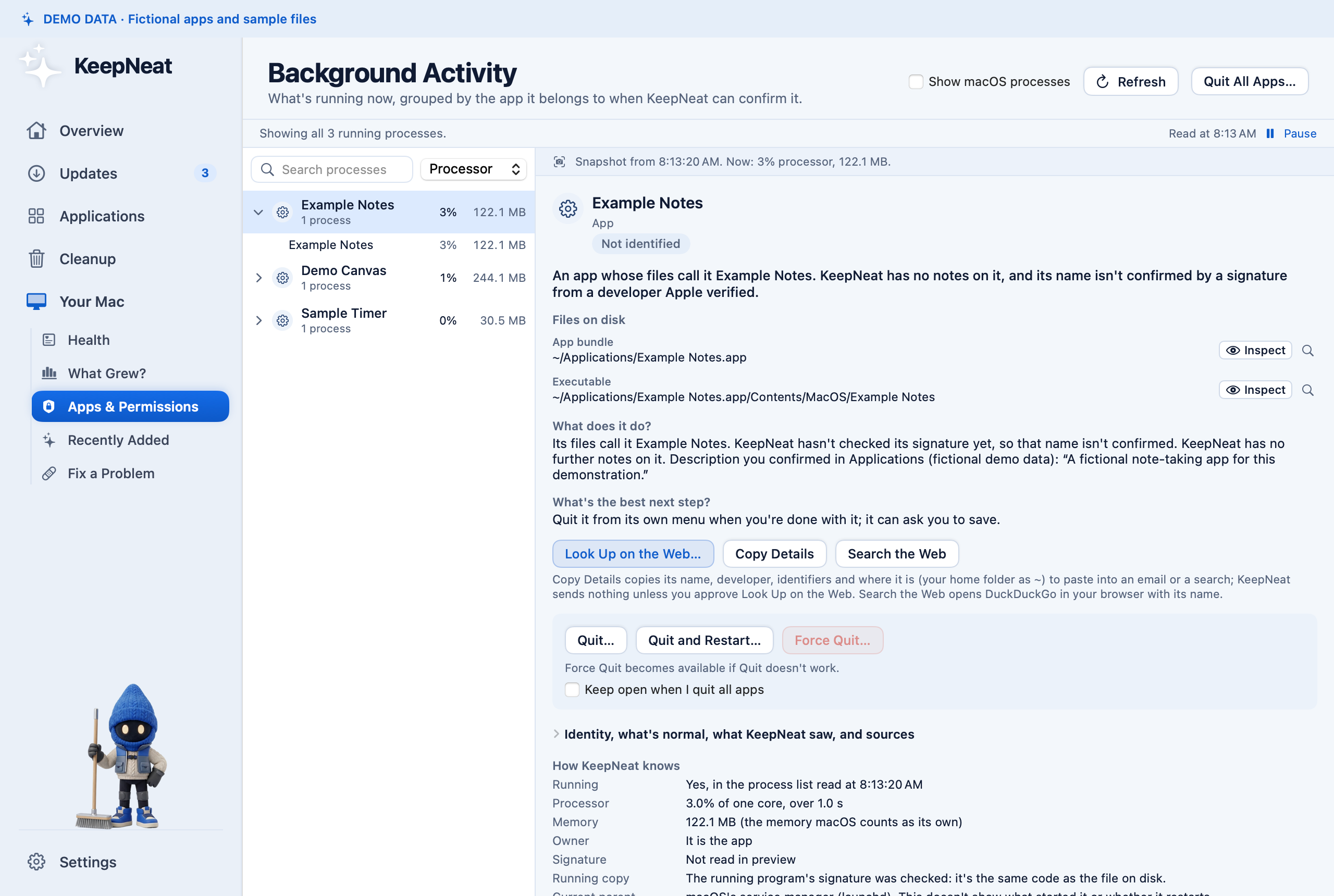
Understand background activity and what starts at login, with plain-language explanations.
KeepNeat helps you read what your Mac is doing before you decide what to change.
See Background Activity in the app
Scroll the view to explore, or open the full-size image.
Your scans stay
on your Mac
No KeepNeat account. No ads, tracking or app analytics. KeepNeat doesn’t upload your files or scan results to us.
KeepNeat goes online for app updates and downloads, app descriptions, checks you start and license checks. Some versions also fetch process notes daily. The optional Look Up on the Web… feature asks you to approve its query, then separately approve any result pages.
Read the Privacy Policy for details, including the website, payments and support email.
One purchase,
three Macs
Try every feature free for 14 days when KeepNeat is released. The trial is tracked locally on your Mac.
After the trial, scanning and information stay free. Changes, like updating apps or moving files to the Trash, need a license key.
US$29 one-time
Planned release price
- Up to 3 Macs you own and personally use, activated at once.
- One year of updates. Versions built within that year keep working with your key.
- Optional renewal for versions built after your year of updates.
- A full refund within 30 days of purchase.
Not yet available to download or purchase.
Payments and license keys will be handled by Lemon Squeezy, the merchant of record. Read the Terms of Use, including the refund policy.
A person you can email
KeepNeat is made by an independent developer based in Utah, United States, operating under the name Switchgrove Studio.
For questions about the app, licenses or refunds, email [email protected].
I aim to reply within 2–3 business days, Monday–Friday, excluding US holidays.
Get support